
Our news
Are you using any of these passwords? Change it NOW!
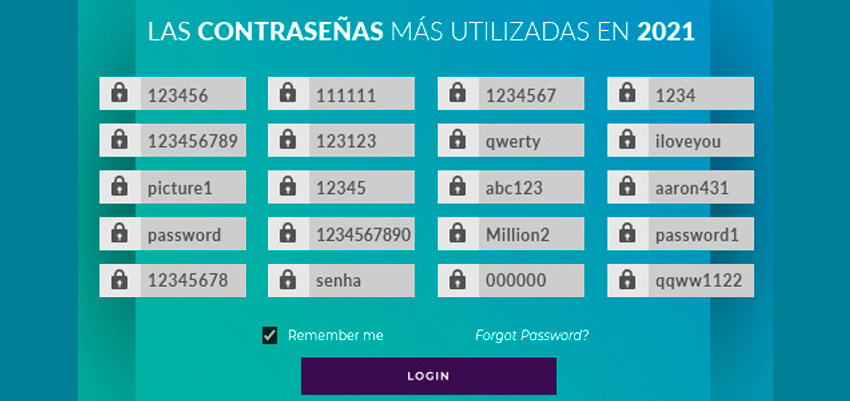
The passwords Stolen data is the fastest way to access all your information. And no company, no matter how large, is safe from cybercriminals who hack their systems and access our information. However, it is small and medium-sized businesses that suffer the most from these attacks. Our birthdates, the names of our children or pets, and even predictable numerical codes are often the targets. passwords most used by users and, in addition, we tend to repeat them in each of the accounts we create.
At the company level, if our employees use this type of passwords Simple and weak systems put the entire company's equipment at risk, which is why training and awareness of the importance of choosing the right ones is so important. passwords more complex ones. These are some of the passwords Less secure and more commonly used by users during the past year… If you suspect your employees are using them or you identify yours on the list, change it immediately!
- 123456
- 123456789
- picture1
- password
- 12345678
- 111111
- 123123
- 12345
- 1234567890
- password
- 1234567
- QWERTY
- abc123
- Million2
- 000000
- 1234
- I love you
- aaron431
- password1
- qqww1122
Follow these steps to make your passwords MORE secure
- Use three random words that you can easily remember but that are not related to each other.
- It's almost impossible not to use the same one. password You might use the same password for multiple accounts, but in some cases, it's highly recommended that you don't reuse a password you've already used. For example, with bank accounts, storage systems, email, or social media, it's best not to repeat passwords. passwords.
- To increase security on social media or emails, we recommend implementing two-step authentication systems, meaning that in addition to the password, The account requires a second access key, such as a temporary code or a security question.
- It is also advisable to use a manager passwords, where you can safely store several of them.
- Do not use personal data or repeat your username in the password. We also advise you to combine letters, numbers, symbols, and alternate uppercase and lowercase letters for added security.
If you want to know the level of prevention you have in your company, in Apen We offer you personalized and FREE advice from a cybersecurity specialist. REQUEST YOUR FREE APPOINTMENT HERE!
