
Our news
Security in the new WhatsApp “statuses”
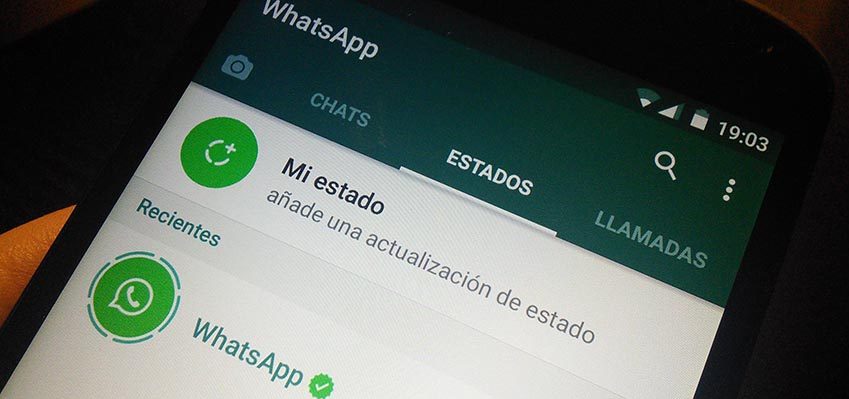
A week ago, we began discovering WhatsApp's latest interactive feature called "Status," a format similar to Instagram and Snapchat's "Moments." Now we can easily and quickly record and send videos or photos of everything we do throughout the day. This translates into a powerful showcase for all the contacts in our phone's address book, who only need to click on the circle next to our photo to see what we're doing, how, and where, if necessary. These "Status" posts allow users to publish a photo or video that disappears 24 hours after being posted. According to Facebook, WhatsApp's owner, thanks to the "new Status," users can share files easily and securely.
Potential risks
The security company Panda Security has warned that the use of "states" can put our security on the platform at risk and alerts to some possible risks.
- We must control the images that are published, so as not to endanger sensitive content by exposing it to hackers, cybercriminals, etc.
- Maintain some control and warn minors of these dangers, so that they do not publish very personal information visible to all their contacts.
- Do not download unknown apps to get new features in the new WhatsApp update; they could be traps set by malicious hackers.
- Do not follow unknown profiles
Who can see the content?
If we want to control which contacts can see the content we post in our "status," we must go to the "Privacy" tab within "Status" and select from the three options it includes: "share with all my contacts," "share with my contacts except the selected ones," and "only share with the selected contacts.".
Can I view a status without them knowing I've viewed it?
Yes. To do this, go to the "Settings" or "Configuration" tab, then to "Account," and then to "Privacy." It's in this tab where you can disable "Read Receipts.".
How do I respond to a status update from my contact?
Yes, simply tap on a specific status in your contacts' status list, and a screen will appear where you can enter your text. The reply will then be automatically sent to your chat with that contact.
I don't want to see a contact's 'status' status
You can mute any of your contacts. Just tap the three-dot icon in the top right corner of each status update. There you'll find the option to mute a contact's status updates.
There have been other changes in this latest update to the popular instant messaging app, such as the removal of the contact list tab and the traditional status feature where users could write how they felt. However, the status feature will be brought back after users voiced their opposition to its removal.
Apen, cybersecurity specialist
The cybersecurity It is important and should be taken into account whenever we talk about publishing. personal information. Even so, WhatsApp is a "secure" platform and can offer you great opportunities to promote products and services, if you are a business owner or influencer, easily reaching all your contacts.
