
WHAT IS AN SSD?
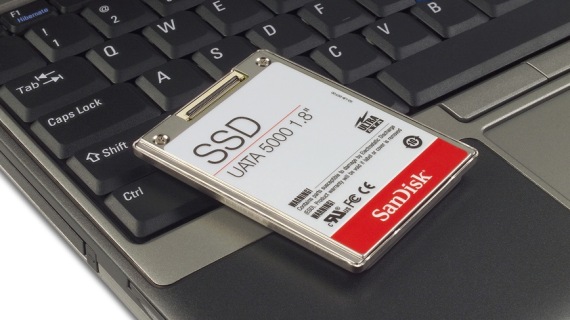
The SSD, or Solid-State Drive, is a data storage device that uses non-volatile memory, such as flash memory, instead of the magnetic disks of HDD hard disk drives.
Solid-state drives (SSDs) are less susceptible to shocks because they have no moving parts. They offer faster access times and lower latency, resulting in a significant improvement in performance, particularly in operating system loading times.
They have a limited number of write cycles and their lifespan is quite limited, and all data may be lost unexpectedly and irretrievably.
The interface used by SSDs is called SATA and is the same as that used by hard drives. They can be swapped without the need for adapters or expansion cards to make them compatible with the computer.
Since 2010, most SSDs have used flash memory, which is based on NAND gates and is able to retain data without any electrical power.
The term SSD (Solid State Drive) is used to describe the new generation of storage devices for computers. SSDs can overcome many of the problems we encountered with conventional hard drives.
Advantages of SSDs
The speed This is one of the major advantages, particularly regarding data retrieval and reading. The wait time for data flow is always the same, and defragmentation is not necessary regardless of whether the data is contiguous or not; the drives perform equally well.
It has a greater resistance, because it has no moving parts and responds better to vibrations and shocks.
Consumption is lower, Because it doesn't need as much power to operate. It experiences less wear and tear from heat, which increases its lifespan.
Also It makes less noise And that represents a great advantage for the consumer.
Types of SSDs
There are different types of SSDs, depending on their connection to the PC:
PCle SSThe unit connects to a PCI Express port, just like an additional internal card. This allows it to operate much faster and not be limited by the SATA standard.
SATA SSDIt uses the same connector as a regular hard drive. This makes it the only option for adding an SSD to a laptop.
SLC: Acronym for Single Level Cell. It was the first to be used and we can currently see them in server environments, due to their high cost.
MLCThey allow two bits per cell and are capable of storing four states
TLCIn this case, there are three bits per cell and four states can be stored.




