
Our news
Beware! Not everything on the internet is what it seems…
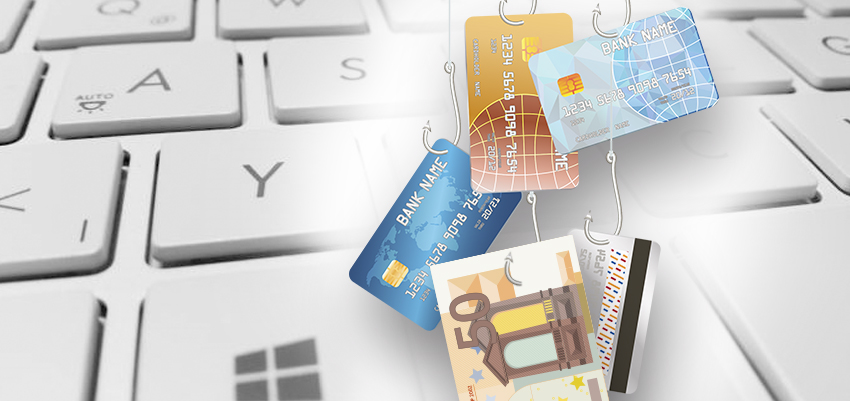
Sometimes, the cybercriminals they impersonate those NO They are designed to get you to provide valuable information via email.
This attack is called phishing It's a form of fraud where an attacker impersonates a reputable person or company via email or other electronic communication channels. A tactic of phishing It is common to send an email with a forged return address, so the message appears to have originated from a legitimate source, making it more likely that the recipient will open it. Attacks by phishing are popular among the cybercriminals, because it is easier to trick someone into clicking on a malicious link in a seemingly legitimate email than to break through a computer's defenses.
When should we be suspicious?
If they ask us for our login password.
If we receive an email with a strange, unexpected subject or one that puts us in a hurry.
If they address us in a generic way or there are spelling or grammar mistakes.
If we have any doubts, we should not click on any links in the email or download any attachments.
If we find that the sender's address contains strange characters or if we suspect its legitimacy.
Enable two-factor authentication in email
The 90% (high risk) of passwords we use can be cracked in less than six hours, and the 66% (high risk) of people using the same password everywhere. Nowadays, criminals are becoming increasingly effective at stealing passwords through [unclear - possibly "technical attacks" or "technical attacks"]. phishing And for this reason, we must activate Multi-Factor Authentication (MFA). When we activate MFA, employees can choose to authenticate using:
-Voice call to the user's phone; they enter the PIN for the request.
-Text message containing the code sent to the user's phone.
-Mobile app for iOS and Android devices
-Windows Hello. Our PC can act as the second factor.
Train the staff
The cybersecurity, It is fundamentally a human problem, not a technical one, and for this reason user training to help establish a culture of safety awareness is vital.
We need to be alert to the signs of attacks phishing. Upon receiving an email that may seem even slightly suspicious, we should do the following:
-Hover your cursor over the link and look for the name of the actual website that the link is sending you to.
-Search for the legitimate website instead of clicking on a link.
A message from someone we know that seems a little unusual could mean the sender's email account has been compromised. We should contact the sender to verify its authenticity.
Disable automatic forwarding
Hackers can access an email account and configure the mailbox to automatically forward to another email account, giving the hacker access to all the information in those emails.
